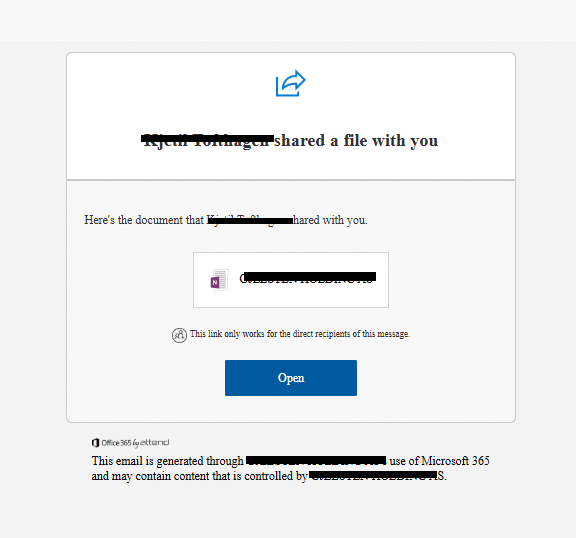
Recent phishing attacks increasingly exploit SharePoint links to bypass security tools and harvest credentials through sophisticated multi-step validation processes. Attackers leverage trusted Microsoft platforms and stealthy hosting to evade detection and compromise user accounts with advanced MFA manipulations. #SharePointPhishing #MultiFactorAuthentication #MicrosoftPhishing
Keypoints
- Phishing campaigns now utilize SharePoint-themed URLs to exploit user trust and evade detection by XDR and email security solutions.
- Malicious content is hosted dynamically on SharePoint, making it difficult for automated tools to detect phishing pages.
- Attackers implement a multi-phase validation process requiring victims’ emails and authentication codes, increasing attack legitimacy.
- Compromised user accounts are exploited to add stealthy MFA methods and create malicious inbox rules and external user invitations.
- Effective detection involves monitoring risky sign-in activities post SharePoint URL clicks and analyzing host timelines for malicious domains.
- Immediate remediation includes resetting passwords, removing malicious MFA, blocking URLs and domains, and deleting phishing emails and inbox rules.
- User education remains a critical defense against SharePoint-based phishing attacks.
MITRE Techniques
- [T1530] Data from Cloud Storage Object – Attackers host malicious phishing pages and payloads dynamically on SharePoint, a trusted cloud platform, to bypass detection (“…attackers can easily host malicious content…within SharePoint…”).
- [T1110] Brute Force – The attack includes a validation phase requiring the victim’s email and authentication code, targeting specific users and preventing generic bypass (“…only possible if the victim’s/recipient’s email is provided…”).
- [T1098] Account Manipulation – Attackers add stealthy MFA methods to compromised accounts to maintain persistence without easy detection (“…attackers are adding authentication methods that are less visible…”).
- [T1071] Application Layer Protocol – Use of legitimate Microsoft email and SharePoint URLs to distribute phishing links and validation codes, leveraging trusted protocols (“…legitimate Microsoft validation code, which further convinces users…”).
- [T1114] Email Collection – Creation of malicious inbox rules and forwarding after compromise to exfiltrate data or distribute malware (“…attackers creating malicious inbox rules and forwarding malicious content…”).
Indicators of Compromise
- [Domains] Malicious domains used for hosting phishing pages – ushackagea[.]ru, revishbos[.]ru, and domains like documents[.]rescloudofficeshareddrive365[.]com.
- [Domains] Lookalike and deceptive Microsoft-themed domains – int-oracle[.]com, office[.]int-oracle[.]com.
- [URLs] SharePoint phishing URLs with multi-stage validation sequences leading to credential harvesting pages (no specific examples provided).
Read more: https://www.cyberproof.com/blog/deceptive-links-unmasking-sharepoint-phishing-attacks/