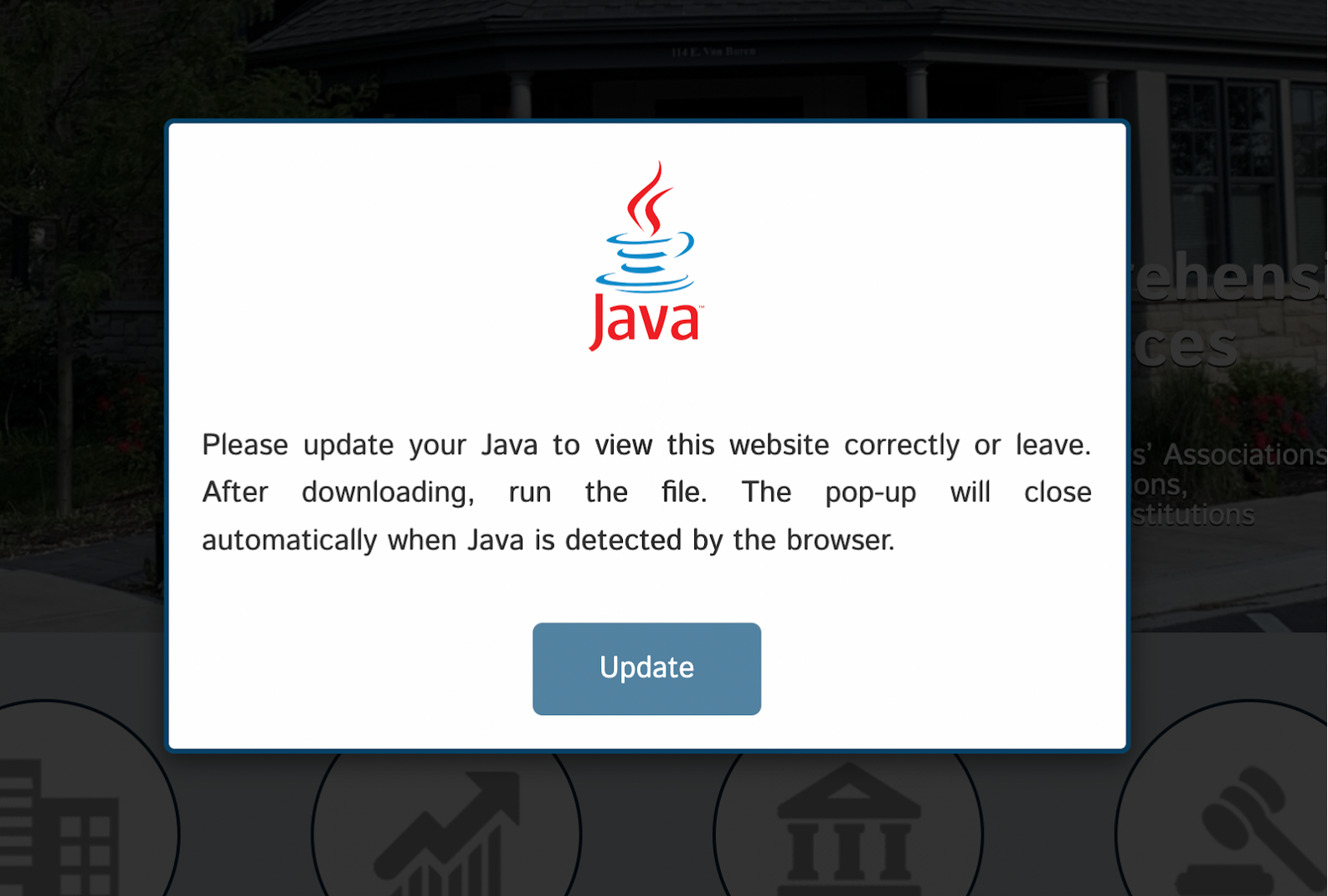
A malicious WordPress plugin disguised as “Yoast SEO” injected a fake Java update popup to trick non-admin visitors into downloading malware from a suspicious domain. The plugin hid itself from the admin dashboard, monitored downloaded files’ execution, and notified attackers via Telegram. #WordPressPlugin #FakeJavaUpdate #HacktoolTrojan
Keypoints
- A deceptive plugin located in /wp-content/plugins/contact-form/ pretended to be “Yoast SEO” but injected malicious JavaScript to display fake Java update pop-ups.
- The popup targeted non-admin, primarily Windows users, simulating official software update prompts to prompt users to download a malicious executable.
- The plugin hid itself from the WordPress admin plugins list, increasing difficulty in detection and removal by site administrators.
- The malicious JavaScript triggered downloads from the domain hxxps://2sopot[.]pl/dw4.php and monitored process execution to detect if the malware ran on victims’ systems.
- The plugin used session and cookie management to track user interactions and avoid repetitive pop-ups for 30 days.
- The malware sent Telegram notifications to attackers when specific malicious or remote access tool processes were detected running on infected systems.
- Impacts included visitor system compromise, data theft, reputational damage, search engine blacklisting, and increased cleanup costs for site owners.
MITRE Techniques
- [T1059] Command and Scripting Interpreter – The plugin injected and executed inline JavaScript to display fake update prompts and manage malicious downloads (“The plugin injected a massive inline JavaScript block…”).
- [T1083] File and Directory Discovery – Used PHP to hide plugin files and avoid listing in the WordPress admin dashboard (“Once activated, the plugin implemented a mechanism to hide itself from the standard WordPress plugins list…”).
- [T1027] Obfuscated Files or Information – The plugin disguised itself with fake metadata and hidden presence to avoid detection (“A plugin installed… posed as ‘Yoast SEO’, complete with fake metadata to mislead site owners.”).
- [T1105] Ingress Tool Transfer – The malicious executable was downloaded from a third-party domain via hidden HTML form submission (“The JavaScript creates a hidden HTML form and submits it, causing the browser to initiate the download…”).
- [T1057] Process Discovery – The plugin monitored running processes using tasklist/ps aux commands to detect execution of malware (“It executes the tasklist /FO CSV command to get a list of running processes…”).
- [T1071] Application Layer Protocol – Used AJAX calls to communicate with the server for status updates and data exfiltration (“A JavaScript function repeatedly makes an AJAX call to the server-side checknewprocess action…”).
- [T1114] Email Collection – The plugin sent Telegram notifications to attackers upon process detection, exfiltrating execution status (“If a process matching one of the prefixes is found, a Telegram notification is sent.”).
Indicators of Compromise
- [File Path] Malicious plugin location – /wp-content/plugins/contact-form/contact-form.php (or similar main plugin PHP file)
- [URL] Malicious download domain – hxxps://2sopot[.]pl/dw4.php (source of the downloaded executable)
- [File Name] Malicious executable – [Random-name].exe (downloaded by fake Java update popup)
- [Cookie] Tracking cookie – javaupdatedownloaded cookie set for 30 days to prevent repeated pop-ups
Read more: https://blog.sucuri.net/2025/05/fake-java-update-popup-found-in-malicious-wordpress-plugin.html