Keypoints
- Security Copilot includes prebuilt promptbooks that act as ready-to-use workflows to automate security tasks.
- They function like playbooks to automate repetitive steps for incident response and investigations.
- Each promptbook requires a specific input, such as a code snippet or threat actor name.
- You can view and search the promptbook library from the Prompts icon in the prompt bar.
- Available promptbooks cover areas like incident investigation, suspicious script analysis, threat actor profile, threat intelligence 360 reports based on MDTI article, and vulnerability impact assessment.
Security Copilot comes with prebuilt promptbooks, a series of prompts that have been put together to accomplish specific security-related tasks. They can function in a similar way as security playbooks—ready-to-use workflows that can serve as templates to automate repetitive steps—for instance, regarding incident response or investigations. Each prebuilt promptbook requires a specific input (for example, a code snippet or a threat actor name).
View the promptbook library
You can find the different promptbooks by going to the promptbook library or by selecting the Prompts icon  at the prompt bar. You can then search for a promptbook or select See all promptbooks to view all.
Use different promptbooks
Available promptbooks include:
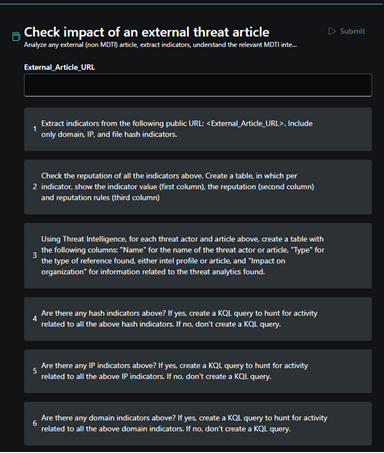
- Check impact of an external threat article
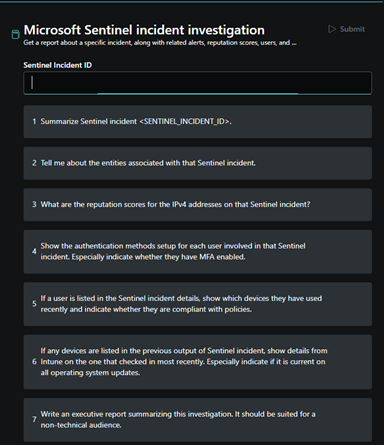
- Incident investigation
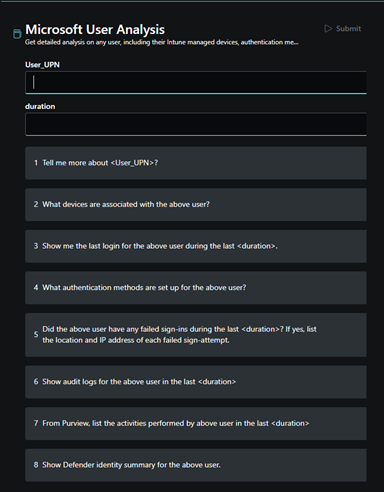
- Microsoft User analysis
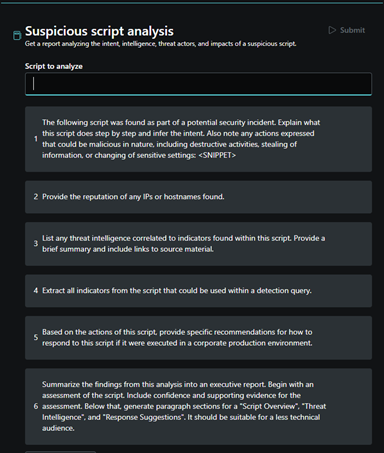
- Suspicious script analysis
- Threat actor profile
- Threat Intelligence 360 report based on MDTI article
- Vulnerability impact assessment
Check impact of an external threat article
Incident investigation
Microsoft User analysis
Suspicious script analysis
Threat actor profile
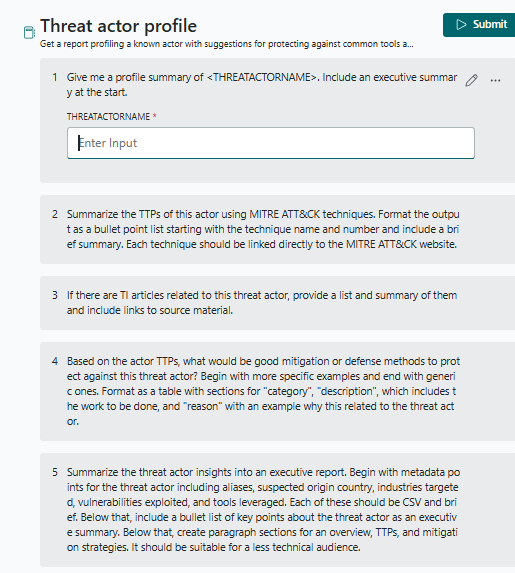
Threat Intelligence 360 report based on MDTI article

Vulnerability impact assessment
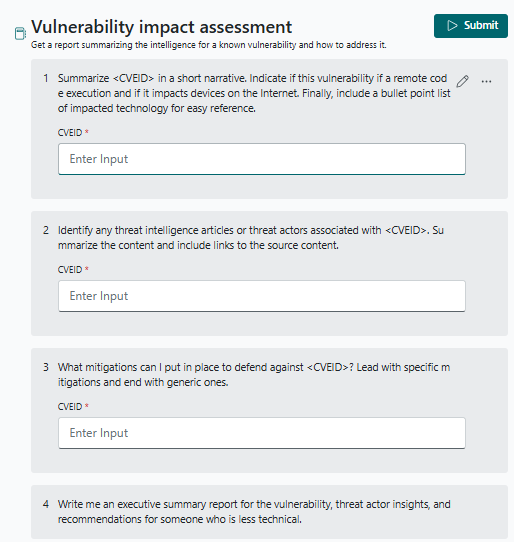
Source:
https://learn.microsoft.com/en-us/copilot/security/using-promptbooks