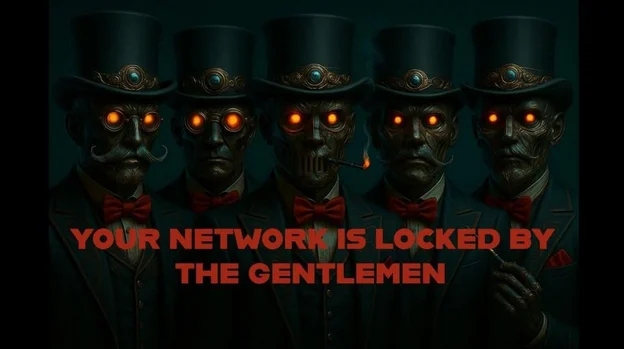
The Gentlemen emerged around July 2025 as an advanced Ransomware-as-a-Service group using dual‑extortion to encrypt and exfiltrate data, publishing dozens of victims on a darknet leak site within months. Their cross‑platform lockers (Windows/Linux/ESXi), modular features (self‑restart, run‑on‑boot, WMI/PowerShell propagation), and affiliate support make them a rapidly evolving threat. #TheGentlemen #XChaCha20
Keypoints
- The Gentlemen ransomware group appeared around July 2025 and publicly listed ~47–48 victims on its leak site in September–October 2025.
- The group operates as a Ransomware‑as‑a‑Service (RaaS), recruiting affiliates and offering configurable builds, affiliate support, and negotiation services.
- Dual‑extortion is central to their operations: they both encrypt files (using XChaCha20/Curve25519) and exfiltrate sensitive business data for public release if ransoms are not paid.
- The ransomware supports Windows, Linux, and ESXi targets with specialized lockers and optimizations for hypervisor environments (vSAN, clustered ESXi hosts).
- Recent updates add automatic self‑restart/run‑on‑boot persistence, silent mode, variable encryption speeds, and propagation via WMI, PowerShell remoting, SCHTASKS, and SC.
- The Windows Go variant analyzed contains command‑line flags (e.g., –password, –silent, –system, –shares, –fast/–ultrafast) and a hardcoded ransom note marker used for anti‑ransomware bypass discussions.
- Operational tactics include disabling Defender via Set‑MpPreference, clearing logs and prefetch files, killing backup/DB/virtualization processes, and altering registry run keys for persistence.
MITRE Techniques
- [T1059.001] Command and Scripting Interpreter – PowerShell commands executed remotely via Invoke-Command to disable Defender and add exclusions: “Invoke-Command -ComputerName %s -ScriptBlock { Set-MpPreference -DisableRealtimeMonitoring $true; Add-MpPreference -ExclusionPath ‘C:’; Add-MpPreference -ExclusionProcess ‘%s’ }”
- [T1569.002] System Services: Service Execution – Uses schtasks and SC (Service Control) to schedule and control execution and propagation across systems (“Implements automatic self-restart at run-on-boot, leveraging schtasks and registry entries.”)
- [T1547.001] Registry Run Keys / Startup Folder – Writes to HKLMSOFTWAREMicrosoftWindowsCurrentVersionRun and HKCUSOFTWAREMicrosoftWindowsCurrentVersionRun for persistence (registry autorun locations referenced).
- [T1070.004] Indicator Removal on Host: File Deletion – Executes commands to delete logs and telemetry such as prefetch and Defender support files (“del /f /q %SystemRoot%System32LogFilesRDP**.* del /f /q C:ProgramDataMicrosoftWindows DefenderSupport*.* del /f /q C:WindowsPrefetch*.*”).
- [T1070.001] Indicator Removal on Host: Clear Windows Event Logs – Anti‑forensics actions include clearing or removing system artifacts to hinder investigation (“These commands are explicit anti-forensics actions that erase evidence of interactive access…”).
- [T1562.001] Impair Defenses: Disable or Modify Security Tools – Disables Defender real‑time monitoring and adds exclusions via Set‑MpPreference/Add‑MpPreference (“Set-MpPreference -DisableRealtimeMonitoring $true; Add-MpPreference -ExclusionPath ‘C:’”).
- [T1222] File and Directory Permissions Modification – Uses icacls to change permissions, granting Everyone full control to support wide access (“icacls /grant *S-1-1-0:(OI)(CI)F”).
- [T1218] System Binary Proxy Execution – Leverages trusted utilities and system binaries for execution and tasks (use of SCHTASKS, SC, WMI, and PowerShell remoting described in propagation/persistence features).
- [T1083] File and Directory Discovery – Enumerates volumes and cluster shared volumes to identify targets before encryption (“$volumes+=Get-WmiObject -Class Win32_Volume|Where-Object{$_.Name -like ‘*:*’}…Get-ClusterSharedVolume”).
- [T1135] Network Share Discovery – Maps and enumerates network shares/UNC paths for encryption and lateral movement (supports –shares and maps shares / UNC in options).
- [T1018] Remote System Discovery – Uses WMI and remote process creation to discover and execute on remote hosts (“$p = [WMICLASS]”%srootcimv2:Win32_Process”; $p.Create(“%s”)”).
- [T1047] Windows Management Instrumentation (WMI) – Employs WMI for process creation and lateral movement across hosts (“$p = [WMICLASS]”%srootcimv2:Win32_Process”; $p.Create(“%s”)”).
- [T1021.002] Remote Services: SMB/Windows Admin Shares – Propagates via SMB and admin shares to spread to other systems and access network paths (flags and behavior support mapping shares and encrypting UNC paths).
- [T1486] Data Encrypted for Impact – Encrypts local and network drives, removable drives, and ESXi instances to render data inaccessible and maximize impact (encryption of local disks, mapped drives, and ESXi servers described).
- [T1489] Service Stop – Contains a kill list to stop backup, DB, and virtualization services prior to encryption (processes like sqlservr, veeam, vmms targeted for stop/killing).
- [T1490] Inhibit System Recovery – Uses wipe-after free space wiping and shadow copy protection evasion to prevent recovery (“wipe-after mechanism to securely remove free disk space after encryption” and recommendations to enable shadow copy protection imply evasion).
Indicators of Compromise
- [SHA256] Ransomware sample – 3ab9575225e00a83a4ac2b534da5a710bdcf6eb72884944c437b5fbe5c5c9235 (Windows Go variant)
- [SHA256] Ransomware sample – 51b9f246d6da85631131fcd1fabf0a67937d4bdde33625a44f7ee6a3a7baebd2 (additional Windows sample)
- [File Path] PowerShell history and artifacts – AppData/Roaming/Microsoft/Windows/PowerShell/PSReadline/ConsoleHost_history.txt (useful for recovering executed PowerShell commands)
- [Command/Flag] Command line indicators – Usage flags and required –password argument (examples: “–password QWERTY –path “C:,D:,nasshare” –T 15 –silent”, “–password QWERTY –system –fast”)
- [Registry Keys] Persistence-related registry keys – HKLMSOFTWAREMicrosoftWindowsCurrentVersionRun, HKCUSOFTWAREMicrosoftWindowsCurrentVersionRun (used for autorun persistence)
Read more: https://www.cybereason.com/blog/the-gentlemen-ransomware