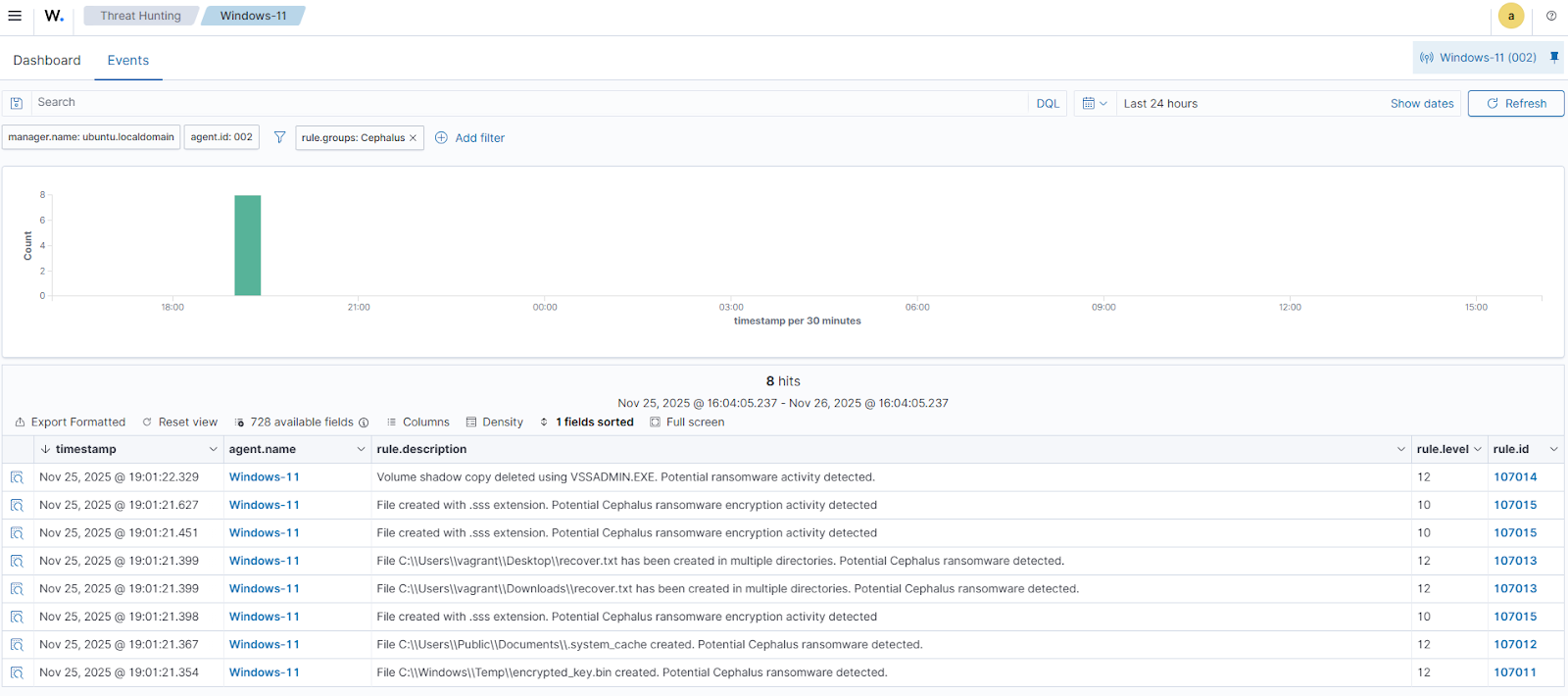
Cephalus ransomware surfaced in mid‑August 2025, targets Windows endpoints via exposed RDP accounts lacking MFA, and performs stealthy local encryption, data exfiltration, and Volume Shadow Copy deletion to hinder recovery. The article demonstrates detection and automated response using Wazuh (Sysmon integration, custom detection rules, File Integrity Monitoring, YARA rules, and Active Response) with example rule files and remediation scripts. #Cephalus #Wazuh
Keypoints
- Cephalus appeared in mid‑August 2025 and focuses on financially motivated intrusions by exploiting weak or exposed RDP configurations without MFA.
- On Windows endpoints Cephalus creates an encrypted_key.bin in C:WindowsTemp, drops a hidden staging file .system_cache, appends the .sss extension to encrypted files, and drops recover.txt ransom notes.
- Cephalus runs vssadmin delete shadows /all /quiet to delete Volume Shadow Copies and prevent recovery.
- The blog demonstrates configuring Sysmon, forwarding events to Wazuh, and adding custom Wazuh rules (Cephalus_ransomware_rules.xml) to detect specific behaviors like key/staging file creation, ransom note drops, VSS deletion, and .sss file creation.
- File Integrity Monitoring (FIM) plus YARA integration and an Active Response (yara.bat) workflow are used to automatically scan, classify, and remove malicious files detected in monitored directories (example: Downloads).
- Wazuh dashboard steps, decoders, and rules are provided to visualize alerts (rule IDs such as 107011–107015, 117001–117006) and trigger the Active Response when indicators are observed.
MITRE Techniques
- [T1047 ] Windows Management Instrumentation – Used in detection rules to flag creation of Cephalus artifacts by monitoring file creation events; ‘File $(win.eventdata.targetFilename) created. Potential Cephalus ransomware detected.’
- [T1059 ] Command and Scripting Interpreter – Associated with creation of ransom notes via executed binaries and scripted file writes; ‘File $(win.eventdata.targetFilename) has been created in multiple directories. Potential Cephalus ransomware detected.’
- [T1490 ] Inhibit System Recovery – Cephalus deletes Volume Shadow Copies to prevent recovery using a VSSADMIN command; ‘Volume shadow copy deleted using $(win.eventdata.originalFileName). Potential ransomware activity detected.’
Indicators of Compromise
- [File hash ] Observed sample hash from analysis – a34acd47127196ab867d572c2c6cf2fcccffa3a7a87e82d338a8efed898ca722
- [Filenames ] Ransomware artifacts and markers – encrypted_key.bin (encryption key file), recover.txt (ransom note), .system_cache (hidden staging file)
- [File extension ] Encrypted file marker – .sss (extension appended to encrypted files)
- [File paths ] Locations used by the ransomware – C:WindowsTempencrypted_key.bin, C:UsersPublicDocuments.system_cache, and monitored path C:Users*Downloads
- [Command ] Recovery-inhibition command observed – vssadmin delete shadows /all /quiet (used to delete Volume Shadow Copies)
Read more: https://wazuh.com/blog/detecting-and-responding-to-cephalus-ransomware-with-wazuh/