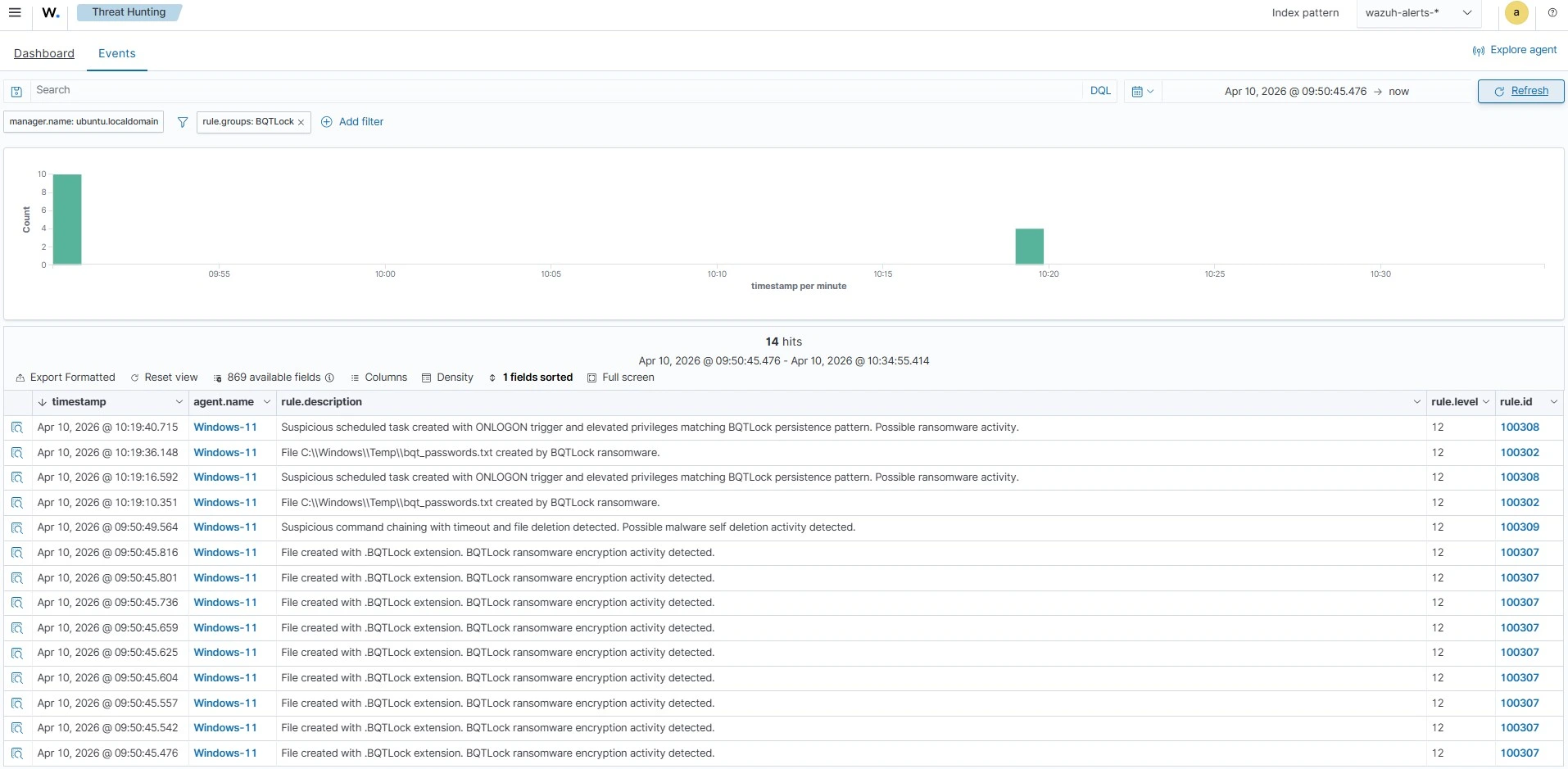
BQTLock is a .NET-based ransomware that targets Windows, uses hybrid AES-256 and RSA-4096 encryption, and marks encrypted files with the .BQTLOCK extension while operating under a Ransomware‑as‑a‑Service model. The blog demonstrates detecting and responding to BQTLock on Windows endpoints using Wazuh features like Sysmon integration, custom detection rules, CDB lists, and Active Response. #BQTLock #Wazuh
Keypoints
- BQTLock is a .NET ransomware distributed via a Ransomware-as-a-Service (RaaS) model and encrypts files by appending the .BQTLOCK extension using AES-256 and RSA-4096 hybrid encryption.
- Operators favor targeted intrusions with pre-encryption activity such as lateral movement, credential/data staging, privilege escalation, and data exfiltration before deploying encryption.
- Observed persistence and disruption techniques include creating a privileged account (BQTLockAdmin), creating scheduled tasks that run at user logon with highest privileges, and creating staging files in C:WindowsTemp (passwords.txt / bqt_passwords.txt).
- Destructive recovery-inhibition actions include deleting Volume Shadow Copies (vssadmin.exe delete shadows /all /quiet) and modifying/disabling boot and recovery settings via bcdedit commands.
- Detection and response are accomplished with Wazuh by forwarding Sysmon logs, deploying custom detection rules (matching commands, filenames, task creation, and file extensions), and using CDB lists plus Active Response to automatically remove detected malicious files.
- The guide provides concrete artefacts and configurations (rule IDs, CDB hash list, monitored directories, Active Response script and registration) to operationalize detection and automated remediation for monitored Windows endpoints.
MITRE Techniques
- [T1136 ] Create Account – BQTLock creates a privileged account for persistence (‘it creates a privileged account, BQTLockAdmin’).
- [T1047 ] Windows Management Instrumentation – Associated in detection for file staging and encryption activities (‘creates a file passwords.txt or bqt_passwords.txt in the C:WindowsTemp directory’ and ‘encrypts files by appending .BQTLOCK extension to the encrypted files’).
- [T1490 ] Inhibit System Recovery – Used to remove recovery options and backups (‘vssadmin.exe delete shadows /all /quiet’ and ‘bcdedit /set {default} recoveryenabled no’).
- [T1059 ] Command and Scripting Interpreter – Ransom note creation and command execution observed (‘creates the ransom note READ_ME_NOW_*.txt, README_pay2_DECRYPT.txt, or README_TO_DECRYPT.txt in multiple directories’).
- [T1053.005 ] Scheduled Task/Job – Persistence via scheduled tasks configured to run at logon with elevated privileges (‘creates a scheduled task configured to run at user logon with the highest privileges’).
- [T1070.004 ] File Deletion – Self-deletion of artifacts using delayed command chaining (‘timeout /t 3 /nobreak > NUL & del /f /q …update.exe & exit’).
Indicators of Compromise
- [Hash (SHA256) ] BQTLock payload and samples – 324eabc27a25f524c94bb62573986b3335ab5181ddc6825d959d16aaaccdc7aa9600db537e27db88ed2eca3be0ffab35cdb22a86a6dbb048d8deaf8f56944822, and 40+ other hashes from the provided CDB list.
- [File name / path ] Credential/data staging and ransom notes – C:WindowsTemppasswords.txt, C:WindowsTempbqt_passwords.txt, and ransom notes like READ_ME_NOW_*.txt / README_TO_DECRYPT.txt.
- [File extension ] Encryption marker – .BQTLOCK appended to encrypted files (e.g., filename.BQTLOCK) indicating successful encryption.
- [Username ] Suspicious account created – BQTLockAdmin (privileged account created by the ransomware).
- [Scheduled task name pattern ] Persistence task – BQTLock_Startup_ (schtasks created with ONLOGON trigger and highest privileges).
- [Command line indicators ] Recovery-inhibition and cleanup commands – ‘vssadmin.exe delete shadows /all /quiet’, ‘bcdedit /set {default} recoveryenabled no’, and delayed deletion chains like ‘timeout /t … del /f /q “…update.exe”‘.
Read more: https://wazuh.com/blog/detecting-and-responding-to-bqtlock-ransomware-with-wazuh/