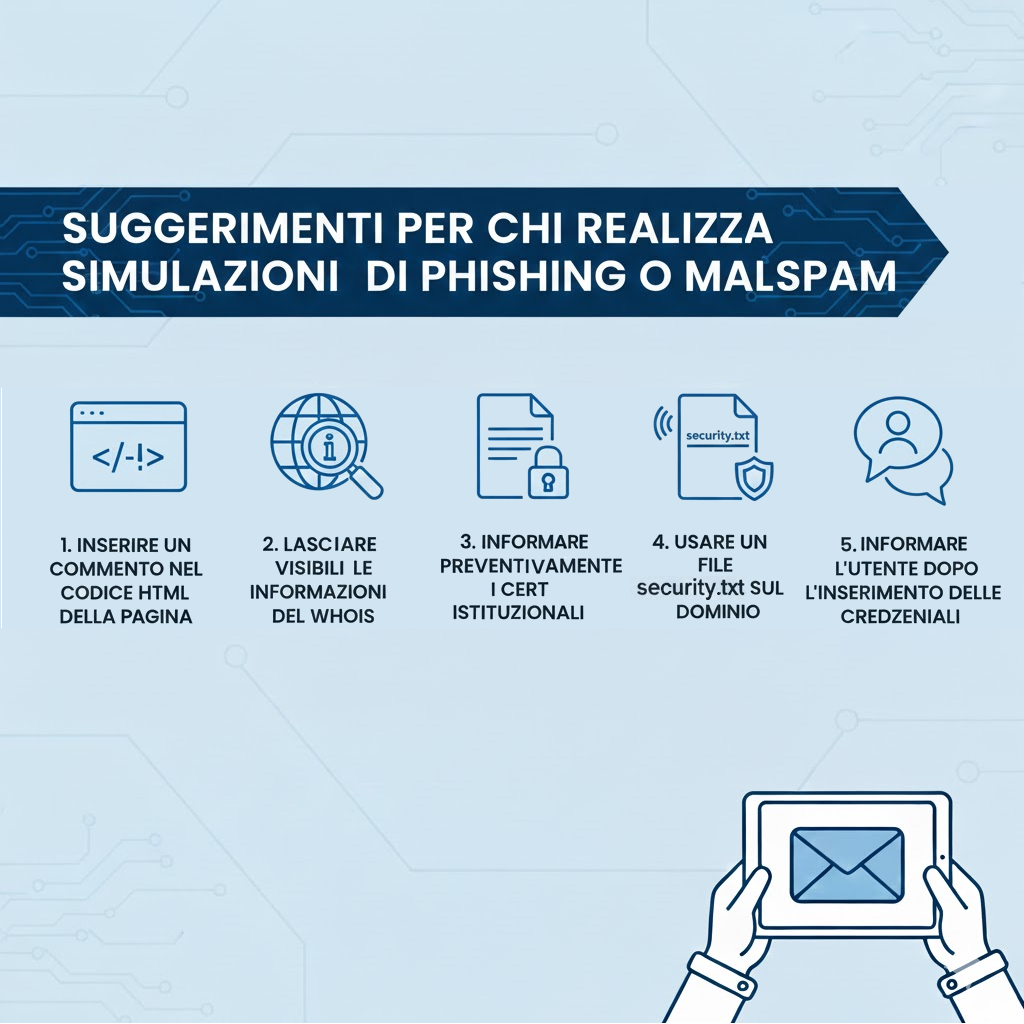
Public administrations increasingly run phishing simulations to test staff awareness, but these exercises can be mistakenly reported to institutional CERTs and treated as real malicious campaigns, risking the inclusion of simulation indicators in operational blacklists. Applying simple technical and procedural signals—HTML comments, visible WHOIS, pre-notifying CERTs, hosting security.txt, and informing users after credential entry—reduces misclassification and helps CERTs focus on genuine threats. #CERT #security.txt
Keypoints
- Public administrations frequently conduct phishing simulations that may be misinterpreted as real attacks when reported to institutional CERTs.
- Without clear technical signals, simulated campaign indicators risk being added to CERT blacklists, creating false positives for defenders.
- Embedding an HTML comment in the phishing page source helps analysts recognize the activity as a legitimate test during inspection.
- Keeping WHOIS information visible for the simulation domain reduces the chance the infrastructure is mistaken for malicious.
- Proactively informing institutional CERTs (domains/IPs, timeframe, target type) prevents unnecessary incident handling.
- Providing a security.txt file on the simulation domain gives analysts an authoritative contact for verification and speeds triage.
- Notifying users after credential submission (immediately or later, per policy) avoids undue alarm and supports awareness goals.
MITRE Techniques
Indicators of Compromise
- [Domain ] domains used for simulation infrastructure – simulation.example.com, training.example.com
- [IP Address ] IPs hosting the simulated campaign – 198.51.100.23, 203.0.113.45
- [WHOIS ] registrant contact information visible in WHOIS records to identify the conducting organization – “Municipality of X”, “Training Office – City Y”
- [File ] security.txt file hosted on the domain to provide verification contacts – https://simulation.example.com/.well-known/security.txt, https://training.example.com/.well-known/security.txt
- [Phone Number ] contact number optionally published for smishing simulations – +39 02 1234567, +39 345 1234567
- [URL / Filename ] landing pages or form endpoints used in the simulation – /login.html, /simulate/submit