Cyfirma researchers uncovered Android banking Trojans that masquerade as trusted apps (news readers or digital ID apps) to quietly steal login credentials and cryptocurrency wallet data by using Accessibility Services, Device Administrator rights, and overlay screens. The malware checks for emulators, silences notifications, connects to a remote command center to exfiltrate device info and receive commands, and has been detected as Android/Trojan.Spy.Banker.AUR9b9b491bC44. #Android/Trojan.Spy.Banker.AUR9b9b491bC44 #IdentitasKependudukanDigital
Keypoints
- The Trojan spreads by posing as legitimate apps (e.g., news readers or digital ID apps) to trick users into installing malicious APKs.
- It performs environment checks to detect emulators or security test systems and avoid analysis.
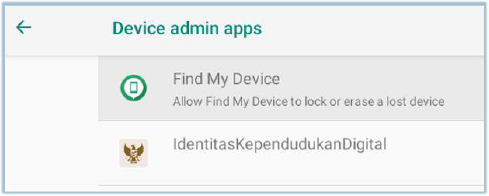
- The malware requests Accessibility Services and Device Administrator privileges to control the device, read screens, tap buttons, and fill forms.
- Overlay attacks are used to present fake login screens over real banking and cryptocurrency apps to capture credentials.
- The Trojan silences notifications and sends device info (including location and installed banking apps) to a remote command-and-control server.
- Attackers can push updates or commands to hide activity or remove traces, enabling ongoing theft of funds and assets.
- Malwarebytes identifies this threat as Android/Trojan.Spy.Banker.AUR9b9b491bC44 and current targeting focuses on banking users in Southeast Asia.
MITRE Techniques
- [T1059 ] Command and Scripting Interpreter – Used to execute commands received from the remote command center to update behavior or delete traces. Quote: ‘connects to a remote command center… attackers can send new instructions to the malware, like downloading updates to hide better or deleting traces of its activity.’
- [T1574 ] Hijack Execution Flow – The malware requests Device Administrator and Accessibility Services to gain control and perform actions on behalf of the user. Quote: ‘it asks users for special permissions called “Accessibility Services,”… It also adds itself as a Device Administrator app.’
- [T1363 ] Accessibility Features (sub-technique) – Abuse of Accessibility Services to read the screen, tap buttons, and fill forms to steal credentials. Quote: ‘With these permissions, the Trojan can read what’s on the screen, tap buttons, and fill in forms as if it were the user.’
- [T1176 ] Browser Extensions / Overlay (Overlay attack) – Uses overlay screens to present fake login UIs over legitimate banking/cryptocurrency apps to capture credentials. Quote: ‘It also overlays fake login screens on top of real banking and cryptocurrency apps, so when someone enters their username and password, the malware steals them.’
- [T1078 ] Valid Accounts (credential theft) – Steals login details and wallet codes to enable unauthorized access and financial theft. Quote: ‘when someone enters their username and password, the malware steals them… once cybercriminals have banking credentials or cryptocurrency wallet codes, they can steal money or assets.’
- [T1083 ] File and Directory Discovery – The Trojan collects information about installed banking apps to inform attacker targeting. Quote: ‘sending information about the phone, its location, and which banking apps are installed.’
- [T1562 ] Impair Defenses – Silences notifications and sounds to avoid user detection of malicious activity. Quote: ‘As soon as it runs, the Trojan also silences notifications and sounds so users don’t notice anything out of the ordinary.’
Indicators of Compromise
- [File name ] Malicious APK filenames used as lure – IdentitasKependudukanDigital.apk, identitaskependudukandigital.apk
- [File hash ] SHA-256 hashes of observed samples – cb25b1664a856f0c3e71a318f3e35eef8b331e047acaf8c53320439c3c23ef7c, 19456fbe07ae3d5dc4a493bac27921b02fc75eaa02009a27ab1c6f52d0627423, and a4126a8863d4ff43f4178119336fa25c0c092d56c46c633dc73e7fc00b4d0a07