An attacker abused Zoom’s legitimate document-sharing notifications to deliver a link that redirected victims through a fake “bot protection” gate to a Gmail credential-phishing page which exfiltrated credentials in real time over a WebSocket and validated them on the backend. #overflow.qyrix.com.de #WebSocket
Keypoints
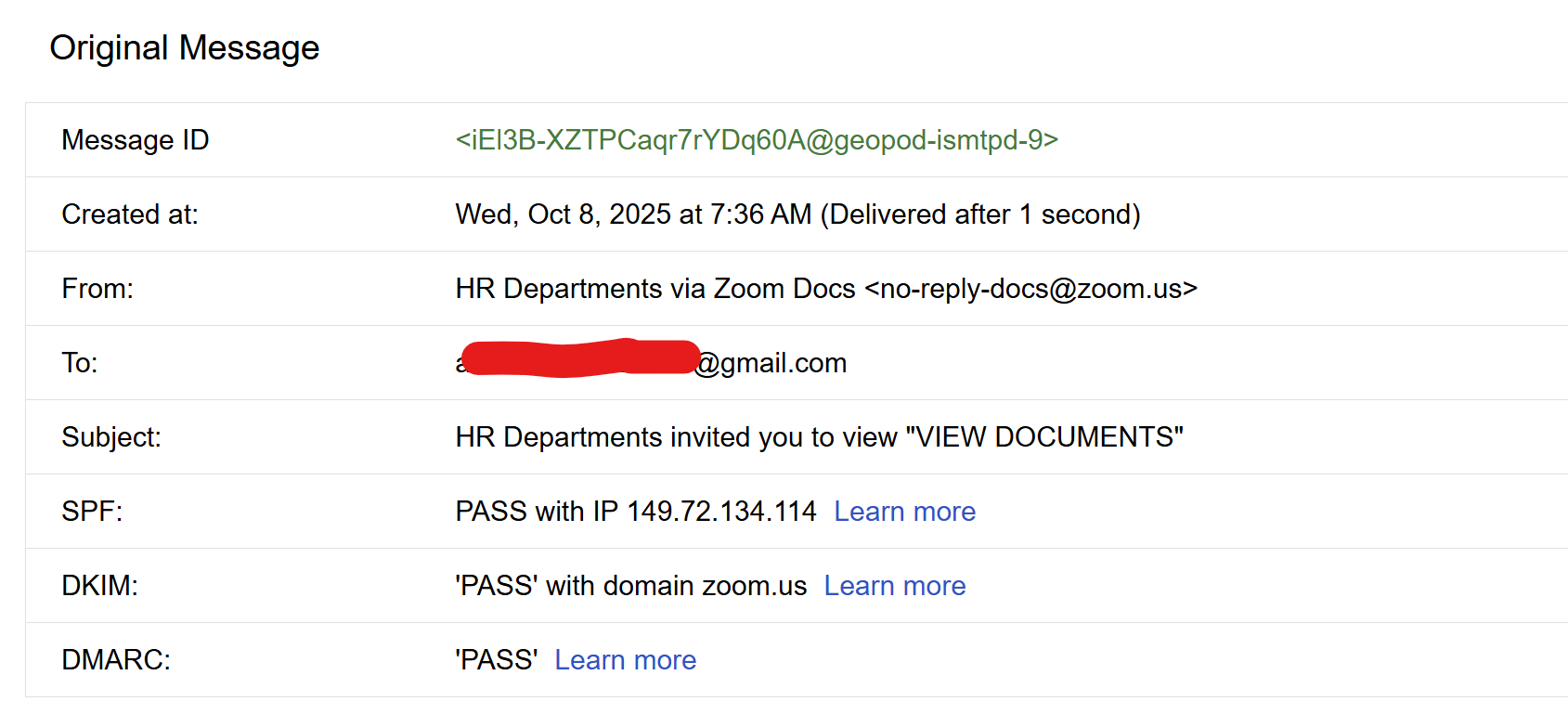
- Attackers used Zoom’s document-share email flow (with valid SPF/DKIM/DMARC) to increase user trust and drive clicks.
- The initial Zoom-hosted link redirected to overflow.qyrix.com.de, which presented a fake “bot protection” gate to block automated analysis and add legitimacy.
- After passing the gate, victims were redirected to a Gmail-styled credential harvest page that was not hosted on Google domains.
- Submitted credentials were exfiltrated live to attacker C2 via a WebSocket connection, visible in captured WebSocket snapshots.
- The attackers likely validated credentials server-side, allowing immediate triage of valid accounts (slower response observed than static phishing pages).
- Indicators include malicious redirect chain URLs (e.g., hxxps://overflow.qyrix[.]com.de/GAR@bBWe/ and …/aoi99lxz7s0?id=02efd7fc7…), and observable websocket exfiltration behavior from the browser.
- Recommended actions: do not enter creds on off-domain pages, change compromised passwords, enable 2FA, report to Zoom/Google, block domains like overflow.qyrix.com.de, and monitor for outbound ws/wss traffic.
MITRE Techniques
- [T1566] Phishing – The attackers sent a Zoom document-share email that redirected users to a credential harvesting page (“I got an email that looked like a normal Zoom doc/share notification… the document link led to an offsite page that redirected to a classic Gmail credential harvesting page”).
- [T1204] User Execution – Victims were tricked into interacting with a fake bot-protection gate and entering credentials (“The phishing page had a ‘bot protection / phishing protection’ gate… One user entered their Gmail user ID and password”).
- [T1090] Proxy (or T1573 Encrypted Channel / T1041 Exfiltration Over C2 Channel) – Live exfiltration of credentials over a WebSocket to attacker C2 (“The phishing page immediately sent the credentials to a C2 using a WebSocket connection. Live exfiltration.”).
- [T1606] Forge Web Credentials (Credential Harvesting) – The attackers presented a forged Gmail login UI on a non-Google domain to collect user credentials (“show a credential harvest page that mimics Gmail login UI and asks for username and password”).
- [T1562] Impair Defenses (Evasion) – The fake bot-protection gate was used to block automated analysis and sandboxes (“bot protection gate – not to protect you, to protect them from analysis and to look legit”).
Indicators of Compromise
- [Domain ] redirect and phishing host – overflow.qyrix.com.de (initial bot protection gate), overflow.qyrix.com.de/aoi99lxz7s0?id=02efd7fc7… (Gmail phishing page).
- [URL ] redirect chain examples – hxxps://overflow.qyrix[.]com.de/GAR@bBWe/, hxxps://overflow.qyrix[.]com.de/aoi99lxz7s0?id=02efd7fc7… (used to host gate and phishing page).
- [Network Traffic ] live exfiltration channel – WebSocket connections from browser to attacker C2 observed when submitting credentials (capture of WebSocket snapshot showing creds being pushed out).
- [Email Headers ] legitimate-looking Zoom mail with forwarding metadata – example header shows email delivered from o1.sg.zoom.us (149.72.134.114) with SPF/DKIM/DMARC passing, used to socialize the phishing link.
Read more: https://blog.himanshuanand.com/2025/10/look-mom-hr-application-look-mom-no-job/