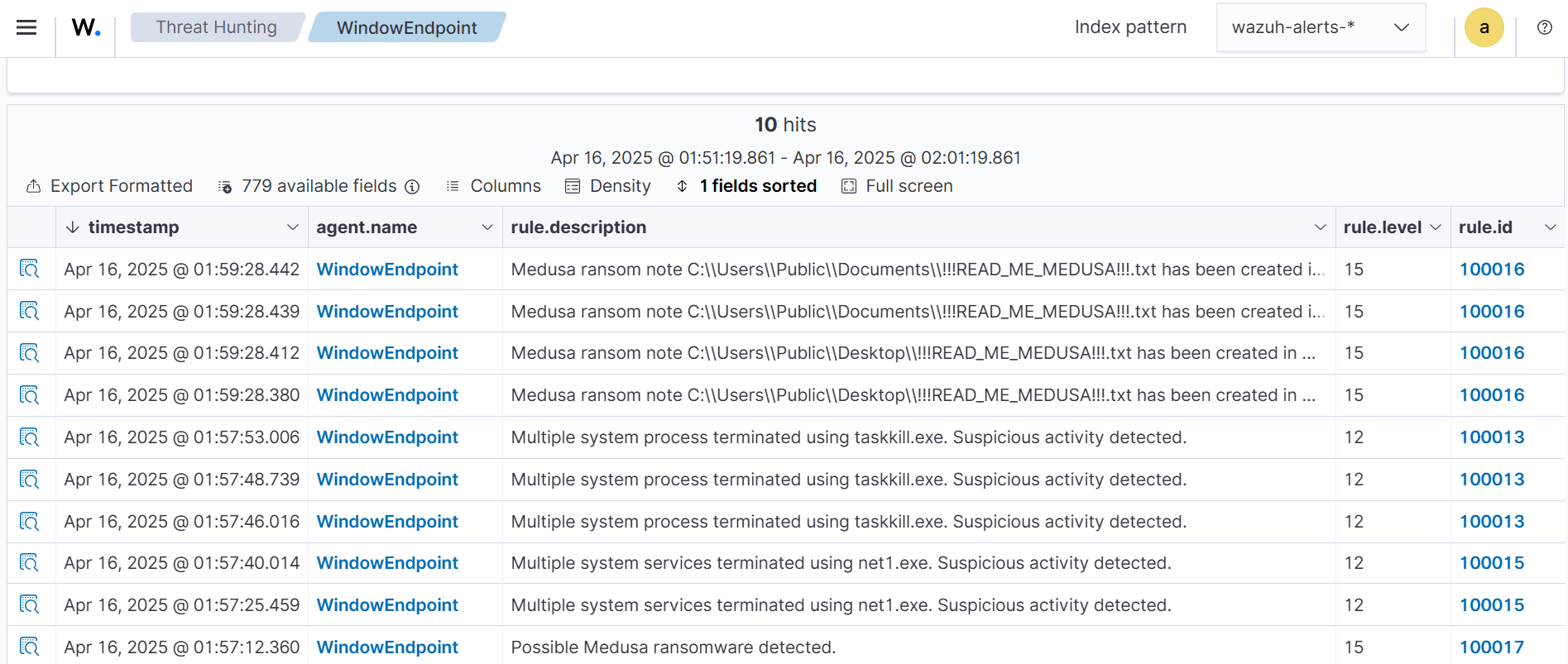
Medusa ransomware, a ransomware-as-a-service first seen in 2021, targets Windows systems mainly through phishing and exploiting unpatched vulnerabilities, causing significant disruption across multiple sectors. This article explains how to detect and respond to Medusa ransomware using Wazuh’s monitoring, detection rules, and YARA integration for proactive removal. #Medusa #Wazuh #YARA
Keypoints
- Medusa ransomware is delivered via phishing campaigns and unpatched software exploits, targeting Windows OS and encrypting files with a .MEDUSA extension.
- The ransomware disables system and user processes using commands like taskkill and net stop before encrypting files and deleting Volume Shadow Copies to prevent recovery.
- Detection is achieved by monitoring Sysmon logs on Windows endpoints and creating custom Wazuh rules to identify suspicious system/service termination and ransom note creation.
- Wazuh Active Response integrates with YARA to scan and automatically remove malicious files, enabling pre-execution ransomware protection.
- Custom Wazuh rules and decoders generate alerts based on file modifications in monitored directories like user Downloads folders and on results from YARA malware scans.
- The article provides detailed steps to configure Sysmon, Wazuh agents, detection rules, Active Response scripts, and YARA rules specific to Medusa ransomware detection and remediation.
- Visualization of alerts in the Wazuh dashboard enables security teams to track and respond swiftly to Medusa ransomware incidents.
MITRE Techniques
- [T1490] Inhibit System Recovery – Medusa deletes Volume Shadow Copies using the command ‘vssadmin Delete Shadows /all /quiet’ to prevent recovery.
- [T1059.003] Command and Scripting Interpreter: Windows Command Shell – Medusa uses commands like ‘taskkill /F /im {Process name} /T’ and ‘net stop “{Service name}” /y’ to terminate processes and services before encryption. (‘…System process terminated using taskkill command…’)
- [T1486] Data Encrypted for Impact – Medusa encrypts files on the endpoint and appends .MEDUSA extension while creating ransom notes named ‘!!!READMEMEDUSA!!!.txt’.
Indicators of Compromise
- [File Hash] Medusa ransomware sample – SHA256: 3a6d5694eec724726efa3327a50fad3efdc623c08d647b51e51cd578bddda3da; SHA1: 6586b2155afa5d7cda5cd3f8a7af37c4fe126a1d; MD5: a6980e543efa40771ed1dcf84b29d732
- [File Name] Ransom note files – ‘!!!READMEMEDUSA!!!.txt’ created in multiple folders on infected systems.
- [File Extension] Encrypted files appended with ‘.MEDUSA’ extension, excluding files in C:Windows and C:PerfLogs directories.
- [Processes/Services] Suspicious termination of system processes and services via ‘taskkill /F /im {Process name} /T’ and ‘net stop “{Service name}” /y’ commands.
Read more: https://wazuh.com/blog/detecting-medusa-ransomware-with-wazuh/