Attackers use various persistence techniques on Windows endpoints to maintain access even after system interruptions, involving scheduled tasks, user account manipulation, service modifications, and registry changes. This article explains how Wazuh detects those persistence methods using Sysmon integration, log analysis, and file integrity monitoring. #Wazuh #Sysmon #MITRE_ATT&CK #WindowsPersistence
Keypoints
- Windows persistence techniques include scheduled tasks, account creation, service modifications, application shimming, registry run keys, startup folder manipulation, and Winlogon helper DLL abuse.
- Wazuh integrates with Sysmon to collect detailed Windows event logs, enhancing detection capabilities for persistence activities.
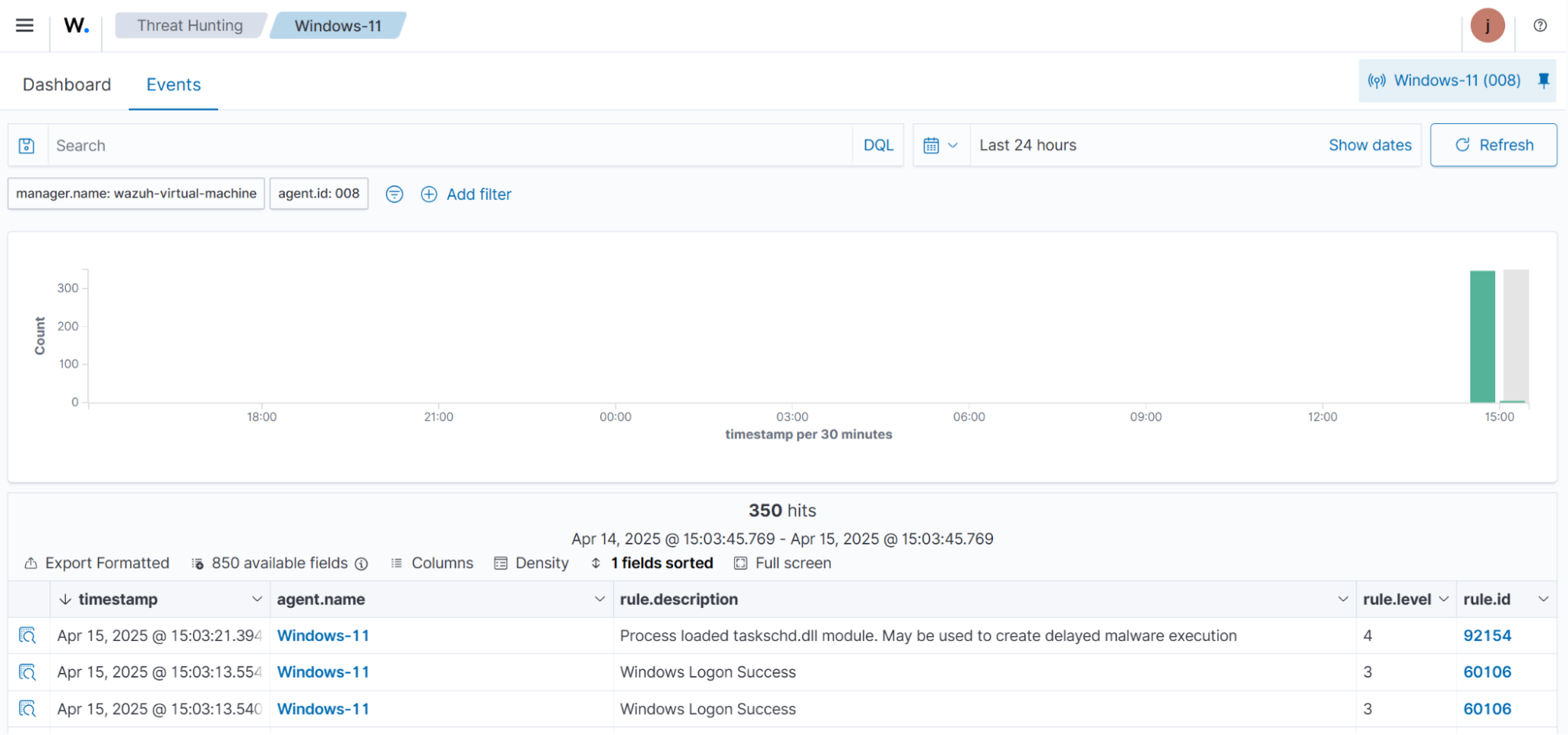
- Built-in Wazuh detection rules (e.g., 92154 for scheduled tasks, 60109 for user account creation, 92307 for service changes) alert security teams to suspicious persistence attempts.
- File Integrity Monitoring (FIM) within Wazuh tracks real-time changes to sensitive system files, folders, and registry keys linked to persistence.
- Attack simulations demonstrated how Wazuh detects persistence techniques such as creating scheduled tasks, new users, modifying services, installing shim databases, and changing registry run keys.
- Wazuh dashboards provide visibility into alerts triggered by persistence attempts, aiding security analysts in threat hunting and incident response.
- The article provides step-by-step guidance for configuring Sysmon logging and Wazuh agent to forward and analyze security events related to persistence.
MITRE Techniques
- [T1053.005] Scheduled Task/Job: Scheduled Task – Abuse of Windows Task Scheduler to maintain persistence (“creates a scheduled task named T1053_005 that launches calc.exe every time a user logs on”).
- [T1136] Create Account – Creation of new user accounts to maintain persistence (“creates a new local account with the username T1136 without assigning a password”).
- [T1543.003] Create or Modify System Process: Windows Service – Modifying Windows services to run malicious code at startup (“changes the binary path of an existing Windows service named TapiSrv to PowerShell”).
- [T1546.011] Event Triggered Execution: Application Shimming – Abusing application shims to persist or escalate privileges (“installing the AtomicShim shim database file using sdbinst.exe”).
- [T1547.001] Boot or Logon Autostart Execution: Registry Run Keys / Startup Folder – Adding entries to run keys or startup folders for persistence (“adding a test file to the system-wide startup folder”).
- [T1547.004] Boot or Logon Autostart Execution: Winlogon Helper DLL – Modifying Winlogon registry keys to load malicious DLLs or executables (“modifying the Userinit key to execute cmd.exe upon logon/logoff”).
Indicators of Compromise
- [File Name] Persistence simulation files – “AtomicShimx86.sdb” (shim database file), “eicar.com.txt” (test file in startup folder)
- [Registry Keys] Keys monitored for persistence – HKEYLOCALMACHINESoftwareMicrosoftWindowsCurrentVersionRun, HKEYLOCALMACHINESoftwareMicrosoftWindowsCurrentVersionRunOnce, HKEYLOCALMACHINESoftwareMicrosoftWindows NTCurrentVersionWinlogon
- [Commands] Persistence simulation commands – “schtasks /create /tn ‘T1053_005’ /sc onlogon /tr ‘cmd.exe /c calc.exe’”, “New-LocalUser -Name ‘T1136’ -NoPassword”, “sc config TapiSrv binPath= ‘C:WindowsSystem32WindowsPowerShellv1.0powershell.exe’”, “sdbinst.exe C:AtomicShimx86.sdb”, “Set-ItemProperty HKLM:SoftwareMicrosoftWindows NTCurrentVersionWinlogon Userinit ‘Userinit.exe, C:WindowsSystem32cmd.exe’”
Read more: https://wazuh.com/blog/detecting-windows-persistence-techniques-with-wazuh/