The article describes a Python-based Telegram Channel Scraper that uses Telethon to fetch messages and media from channels, with real-time scraping and data export. It supports resume capability, SQLite storage, and an interactive menu for managing channels and exports #Telegram #Telethon #SQLite #JSON #CSV
Keypoints
- Real-time continuous scraping with rate limiting helps stay within Telegram’s protections and reduces blocks.
- Automatic retries and error logging increase resilience against failed downloads and operations.
- Stateful resume preserves progress between runs to avoid data loss and redundant access patterns.
- Media handling supports downloading photos and documents while skipping duplicates to minimize transfers.
- Prerequisites emphasize authenticated access with a Telegram account and API credentials for secure data collection.
A powerful Python script that allows you to scrape messages and media from Telegram channels using the Telethon library. Features include real-time continuous scraping, media downloading, and data export capabilities.
Features 🚀
- Scrape messages from multiple Telegram channels
- Download media files (photos, documents)
- Real-time continuous scraping
- Export data to JSON and CSV formats
- SQLite database storage
- Resume capability (saves progress)
- Media reprocessing for failed downloads
- Progress tracking
- Interactive menu interface
Prerequisites 📋
Before running the script, you’ll need:
- Python 3.7 or higher
- Telegram account
- API credentials from Telegram
Initial Scraping Behavior 🕒
When scraping a channel for the first time, please note:
- The script will attempt to retrieve the entire channel history, starting from the oldest messages
- Initial scraping can take several minutes or even hours, depending on:
- The total number of messages in the channel
- Whether media downloading is enabled
- The size and number of media files
- Your internet connection speed
- Telegram’s rate limiting
- The script uses pagination and maintains state, so if interrupted, it can resume from where it left off
- Progress percentage is displayed in real-time to track the scraping status
- Messages are stored in the database as they are scraped, so you can start analyzing available data even before the scraping is complete
Usage 📝
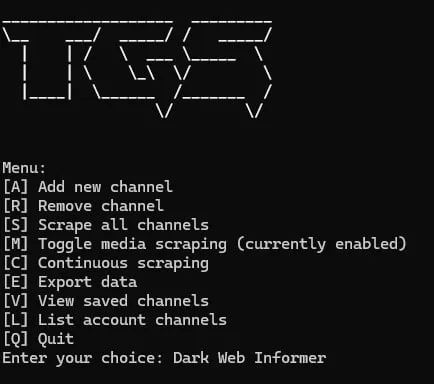
The script provides an interactive menu with the following options:
- [A] Add new channel
- Enter the channel ID or channelname
- [R] Remove channel
- Remove a channel from scraping list
- [S] Scrape all channels
- One-time scraping of all configured channels
- [M] Toggle media scraping
- Enable/disable downloading of media files
- [C] Continuous scraping
- Real-time monitoring of channels for new messages
- [E] Export data
- Export to JSON and CSV formats
- [V] View saved channels
- List all saved channels
- [L] List account channels
- List all channels with ID:s for account
- [Q] Quit
Features in Detail 🔍
Continuous Scraping
The continuous scraping feature ([C] option) allows you to:
- Monitor channels in real-time
- Automatically download new messages
- Download media as it’s posted
- Run indefinitely until interrupted (Ctrl+C)
- Maintains state between runs
Media Handling
The script can download:
- Photos
- Documents
- Other media types supported by Telegram
- Automatically retries failed downloads
- Skips existing files to avoid duplicates
Error Handling 🛠️
The script includes:
- Automatic retry mechanism for failed media downloads
- State preservation in case of interruption
- Flood control compliance
- Error logging for failed operations