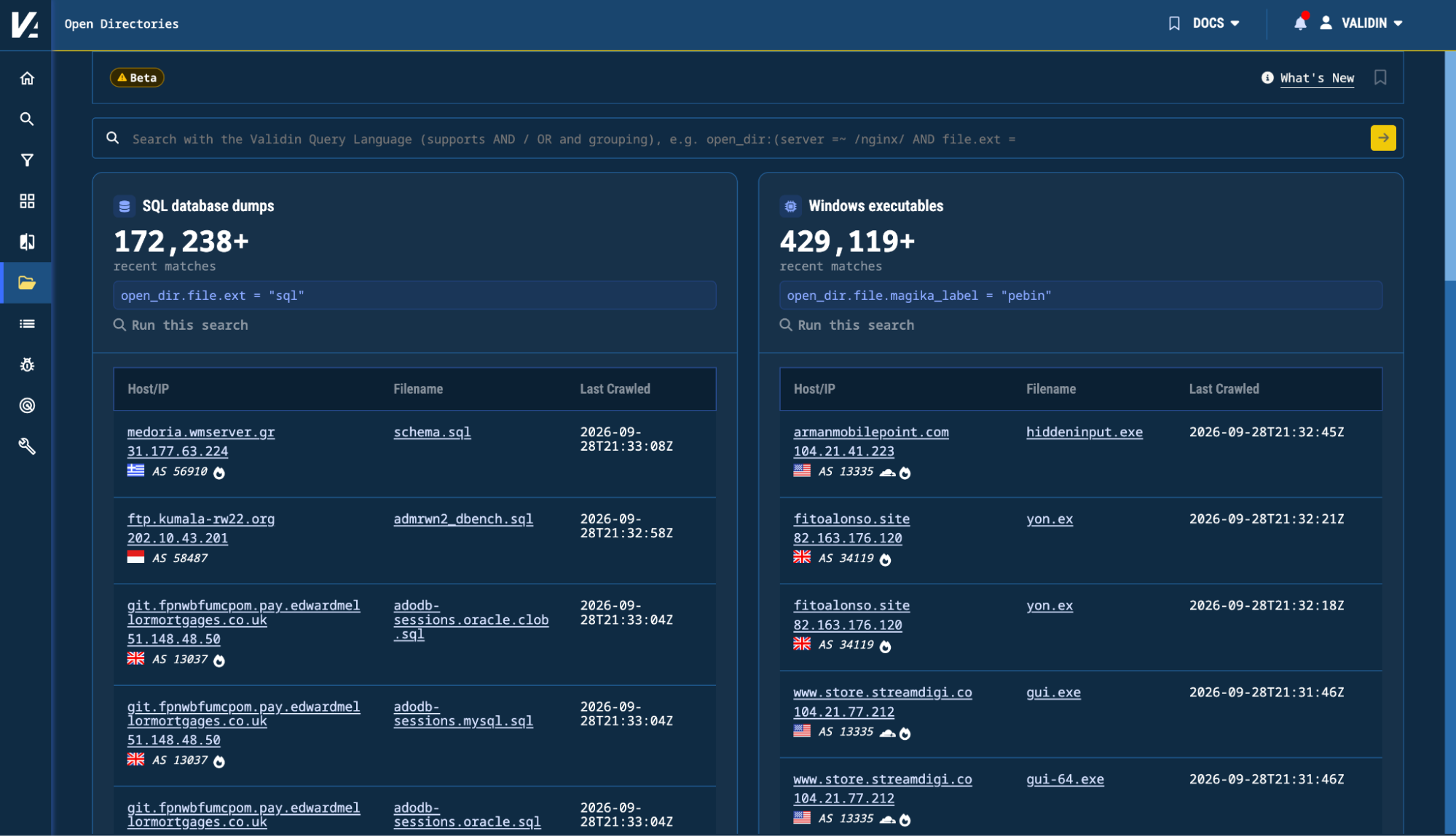
Validin has added Open Directories in beta for Enterprise customers, letting analysts search, browse, and compare internet-exposed folders and files as a historical dataset. The feature supports deep searches across infrastructure and file attributes, a dedicated VQL syntax, file previews, and change tracking over time for exposed content. #Validin #OpenDirectories #VQL
Keypoints
- Validin’s Open Directories is now available in beta to all Enterprise customers.
- The platform continuously discovers and archives open directory listings and, when available, the files they contain.
- Analysts can search by infrastructure attributes such as domain, IP address, CIDR range, port, HTTP server, and directory title.
- File searches support attributes including filename, path, extension, size, modification time, content type, and hashes such as SHA-256, SHA-1, and MD5.
- A new Open Directories Explorer lets users browse directory trees, inspect files, preview content, and download captured files.
- Validin distinguishes between collected files and files only listed in a directory, preserving visibility into advertised but unavailable filenames.
- History and comparison features let analysts track added, removed, and changed files or subdirectories across multiple captures.
MITRE Techniques
- [T1083] File and Directory Discovery – The article describes searching and browsing exposed folders, subdirectories, filenames, and paths to understand what is present in a directory crawl (‘search files and directories observed across the internet’, ‘browse captured directories’).
- [T1005] Data from Local System – Open directories may expose files such as malware, scripts, configuration files, archived data, phishing kits, and logs that researchers can inspect and analyze (‘a directory might expose malware, scripts, configuration files, archived data, phishing kits, logs, or other files’).
- [T1105] Ingress Tool Transfer – The article notes that files can be discovered and downloaded for further analysis, and open directories may contain malware or other payloads accessible over HTTP (‘Captured files can also be downloaded for further analysis’, ‘directories … expose lists of files and subdirectories’).
Indicators of Compromise
- [Domain] exposed directory example – 2hops[.]link
- [File name] listed/observed filenames – config.json, readme.html
- [File hash] supported file identifiers for searches – SHA-256, SHA-1, MD5
- [File extension] examples used in searches – zip, javascript
- [Content type / file type] detected file classifications – python, javascript
- [URL / platform feature] Open Directories search and explorer examples – open_dir.file.ext = “zip”, open_dir.file: (name = “CVE*” AND magika_label = “python”)