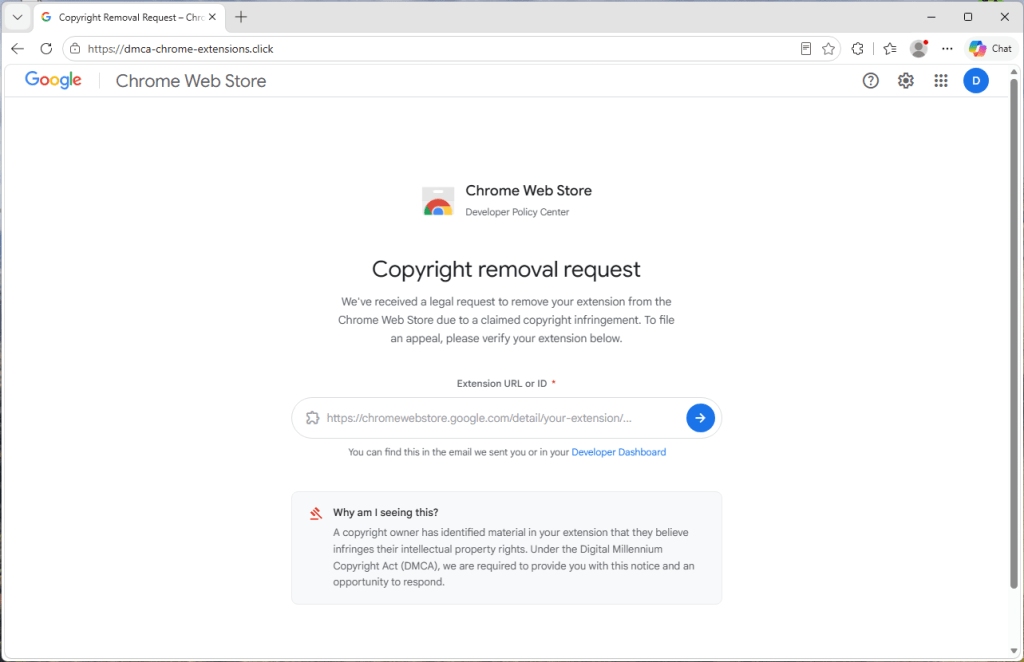
A phishing scam is impersonating Google to target Chrome extension publishers with a fake copyright removal notice that steals their Google credentials. The attackers use the victim’s real extension details, a fabricated deadline, and a counterfeit sign-in window to lure developers into handing over account access. #ChromeWebStore #MalwarebytesBrowserGuard #dmca-chrome-extensions.click
Keypoints
- The scam targets people who publish Chrome extensions with an official-looking “copyright removal request.”
- Victims are told their extension will be removed from the Chrome Web Store within 48 hours unless they appeal.
- The page asks for an extension ID and then displays the real extension name and icon to appear legitimate.
- The site is not operated by Google; it is a phishing page designed to steal Google usernames and passwords.
- If attackers compromise a developer account, they could take over the extension or push malicious updates to users.
- The scam used the domain dmca-chrome-extensions[.]click and posed as a “Chrome Web Store Developer Policy Center.”
- Recommended defenses include checking the Chrome Web Store developer dashboard directly, verifying the real address bar, and using passkeys or security keys.
MITRE Techniques
- [T1566.002] Phishing: Spearphishing Link – Victims are lured to a fake copyright notice and sign-in flow through a deceptive website link (‘official-looking “copyright removal request”’ and ‘sign in with Google to file an appeal’).
- [T1056.002] Input Capture: GUI Input Capture – Credentials entered into the fake sign-in form are harvested by the attackers (‘Anything typed into this fake sign-in form is sent directly to the scammers’).
- [T1583.001] Acquire Infrastructure: Domains – The scam is hosted on a lookalike domain to impersonate Google (‘the site used the address dmca-chrome-extensions[.]click’).
- [T1584.004] Compromise Infrastructure: Web Domains – The attackers use a domain and webpage branding to masquerade as an official Google service (‘uses Google’s branding’ and ‘presents itself as a “Chrome Web Store Developer Policy Center”’).
- [T1036] Masquerading – The page imitates Google sign-in UI, branding, and operating-system-specific windows to appear trustworthy (‘It looks authentic, but it isn’t’ and ‘showing Mac-style windows on macOS and Windows-style windows on Windows devices’).
- [T1491.001] Defacement: Internal Defacement – The scammers alter the appearance of a web page to fabricate a fake policy and takedown notice around the victim’s extension (‘builds a fake takedown notice around your real extension’).
- [T1621] Multi-Factor Authentication Request Generation – The page pressures the user to authenticate through a fake Google sign-in prompt (‘sign in with Google to “verify your identity”’).
Indicators of Compromise
- [Domain] Phishing site used to impersonate Google and target extension publishers – dmca-chrome-extensions[.]click