ANY.RUN reports that phishing-to-RMM campaigns are using fake Microsoft, Adobe, and OneDrive pages to deliver legitimate remote management tools like ScreenConnect and LogMeIn Rescue, creating a visibility gap for SOC teams. These attacks rely on trusted infrastructure and routine-looking downloads to gain unauthorized remote access, making detection depend on the full attack chain rather than domain reputation alone. #ScreenConnect #LogMeInRescue #Microsoft #Adobe #OneDrive #ANYRUN
Keypoints
- Phishing-to-RMM attacks are being used to deliver legitimate remote management tools instead of obvious malware.
- Attackers impersonate trusted brands and services such as Microsoft, Adobe, and OneDrive to lure victims into downloading maliciously used RMM installers.
- Tools including ScreenConnect, LogMeIn Rescue, Datto RMM, ITarian, Action1 RMM, NetSupport, Syncro, MeshAgent, SimpleHelp, RustDesk, and Splashtop are seen in these chains.
- These campaigns often use legitimate infrastructure or compromised websites, which weakens the value of domain reputation as a detection signal.
- Organizations in the United States, Canada, Europe, and Australia are exposed, especially in Education, Technology, Banking, Government, Manufacturing, and Finance.
- SOC teams need visibility across the entire attack chain, including the phishing lure, payload delivery, execution behavior, security-control tampering, RMM installation, and outbound connections.
- ANY.RUN positions its Interactive Sandbox and Threat Intelligence as ways to analyze suspicious URLs and trace phishing-to-RMM activity retrospectively.
MITRE Techniques
- [T1566 ] Phishing – Attackers use phishing pages impersonating trusted services to deliver the payload (‘fake Microsoft, Adobe, and OneDrive pages’ / ‘phishing to deliver legitimate remote management tools’).
- [T1204 ] User Execution – Victims must click download prompts or open delivered files/scripts for the attack to proceed (‘the user is prompted to download Adobesetup.exe’ / ‘Once executed, the script…’).
- [T1105 ] Ingress Tool Transfer – Legitimate RMM tools and scripts are downloaded to the endpoint (‘silently downloads the LogMeIn Rescue installer’ / ‘receive ScreenConnect.ClientSetup.exe’).
- [T1218.005 ] System Binary Proxy Execution: Msiexec – The installer is run quietly through msiexec to help deploy the RMM tool (‘runs a quiet installation via msiexec’).
- [T1112 ] Modify Registry / System Settings – The script weakens defenses by disabling protections and changing security-related settings (‘disable SmartScreen, and weaken Microsoft Defender protections’).
- [T1027 ] Obfuscated Files or Information – The attack hides the real payload behind benign-looking names or document lures (‘disguised as Adobe Acrobat Reader DC’ / ‘disguised as a PDF document’).
- [T1489 ] Service Stop / Defensive Evasion – The campaign attempts to reduce detection by weakening endpoint defenses (‘weaken Microsoft Defender protections’).
- [T1110 ] Brute Force – Not mentioned.
Indicators of Compromise
- [File names ] Disguised installers and scripts used in the lure chain – Adobesetup.exe, ScreenConnect.ClientSetup.exe, and one VBS document masquerading as an Adobe Acrobat installer
- [Domains / URLs ] Hosting and delivery infrastructure used in the campaign – vmail.app.n8n.cloud, n8n.cloud
- [Product names ] RMM tools observed being delivered or installed – ScreenConnect, LogMeIn Rescue, Datto RMM, ITarian, and other RMM tools
- [Query strings / TI lookup indicators ] Search terms used to track related campaigns in ANY.RUN – threatName:”^phishing$” and threatName:”rmm-tool”
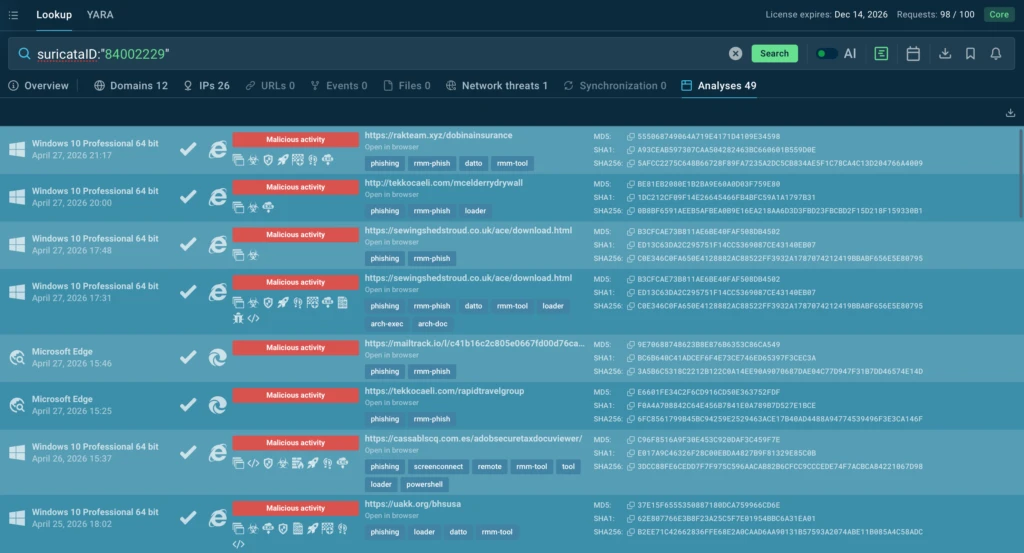
- [Suricata alert / analysis identifier ] Public analysis identifier referenced for a campaign – suricataID:”84002229”
Read more: https://any.run/cybersecurity-blog/rmm-blind-spot-for-cisos/